Software that carries weight.
I'm WujaCz. I build apps for expense tracking and vehicle maintenance, business management, and weighbridge systems. Check out the details and try the demo.
Every project has a live demo with test data. For the weighbridge system, you can even drive a virtual truck onto the scale yourself.
Vehicles
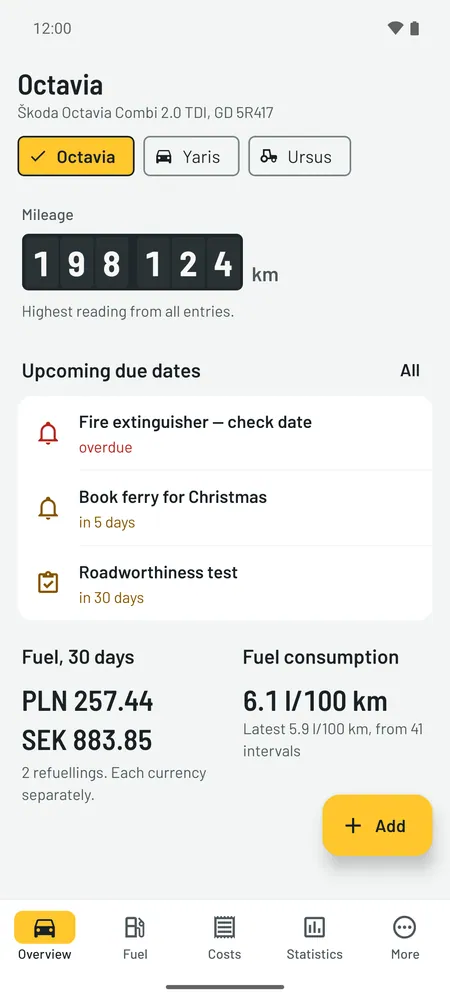
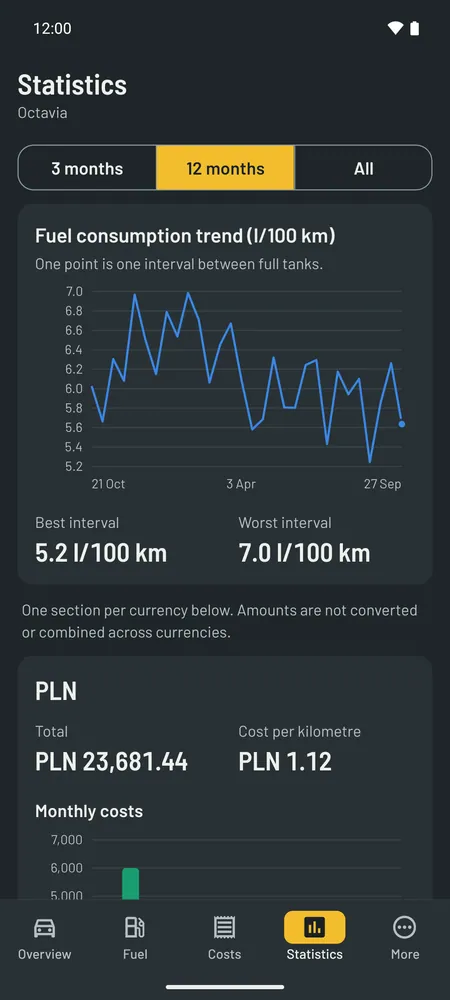
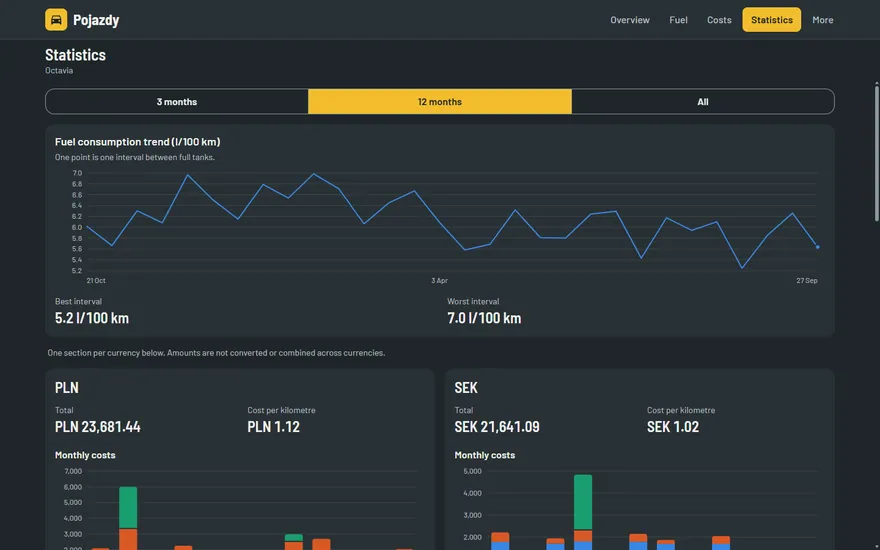
Live, web and AndroidWhat a car really costs: fuel, servicing, inspections and fees, each entry in the currency you paid in. Works offline, on Android and in the browser.
Screenshots
Screenshots
An app for keeping track of what a car costs: fuel, servicing, inspections, insurance and fees. Made for someone who drives between countries and pays in more than one currency. It runs on Android and in the browser.
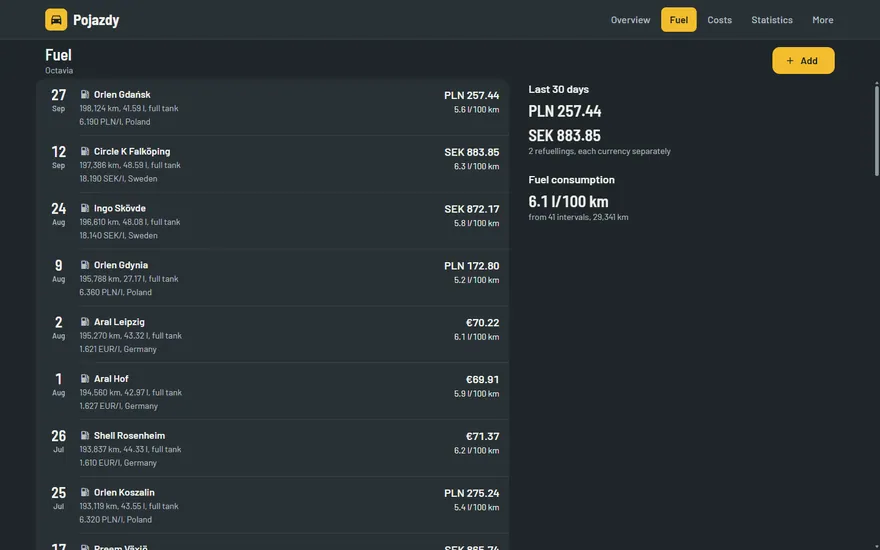
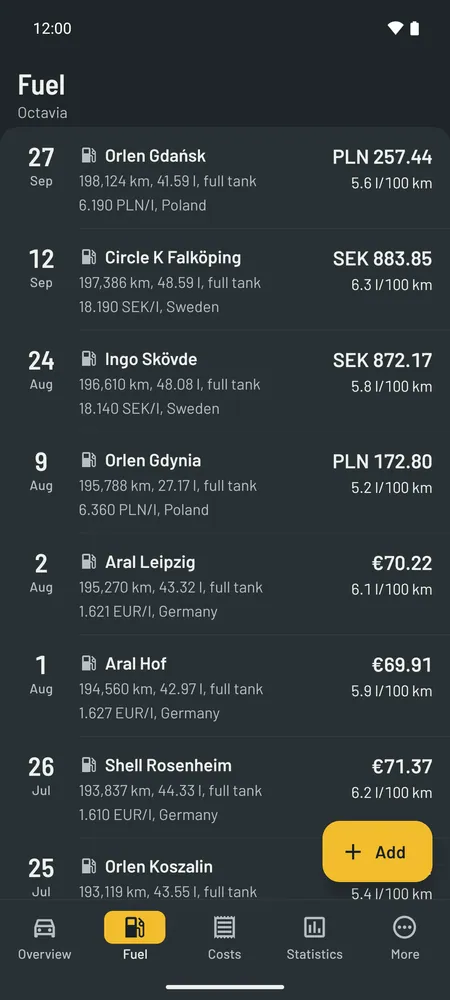
- When you fill up, you enter the litres, the amount and the currency you paid in. There are dozens to choose from, from złoty, euros and kronor to forints or pounds, and the ones you used last sit at the top of the list. The app works out fuel consumption from one full tank to the next.
- Each currency keeps its own totals. The app doesn’t convert currencies, so the statistics match your receipts.
- Reminders keep an eye on the date or the mileage, for example an oil change every year or every 15,000 km. From how much you drive, the app estimates when the next one will be due.
- It works offline. Data syncs between phone and computer encrypted on the device first, so the server can’t see what you’ve entered.
I can turn it into a tool for a company fleet: several drivers, cars assigned to people, every vehicle in one view and photos of receipts. I can also strip out what isn’t needed or add completely new modules.
The demo runs on made-up data: two cars and an old tractor, more than a year of driving between Poland and Sweden. You can add entries and change settings, but nothing stays: refresh the page and everything goes back to the start.
Weighbridge
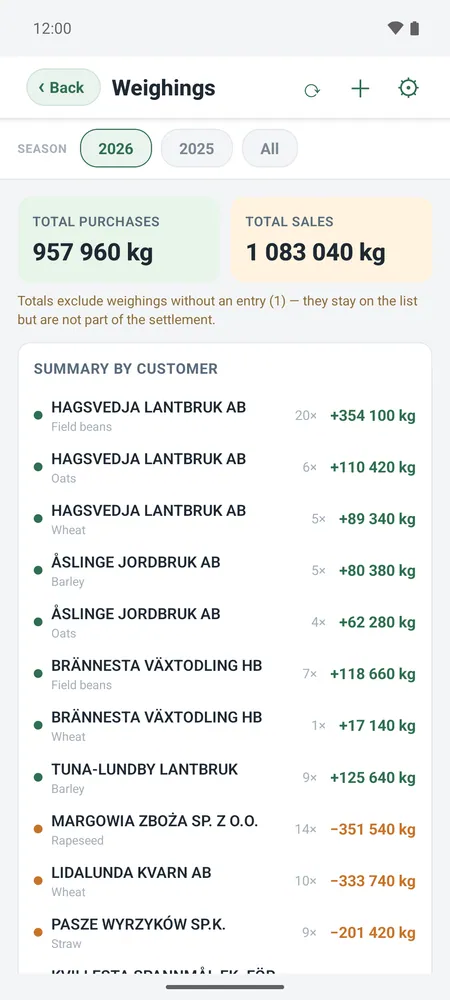
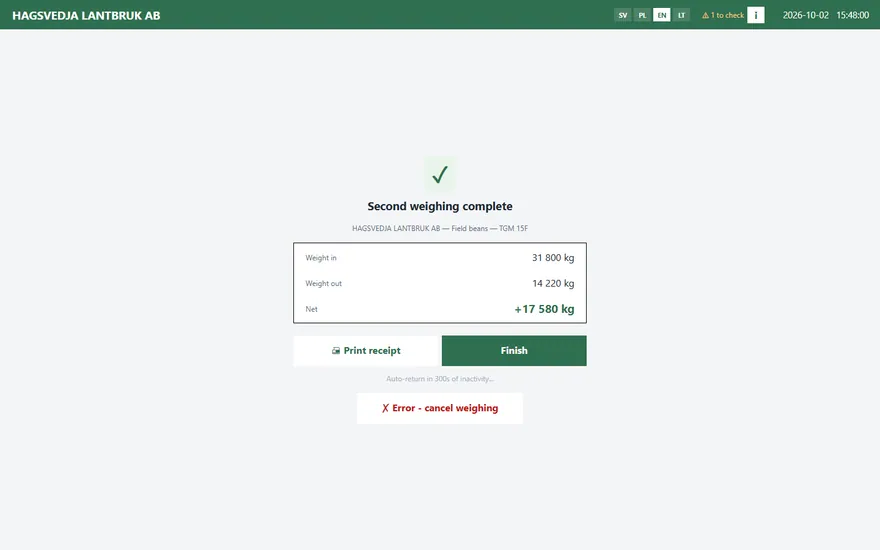
Demo with made-up dataDrivers weigh their own vehicles and take the ticket. Each result reaches the app and Excel sheets for the office.
Screenshots
Screenshots
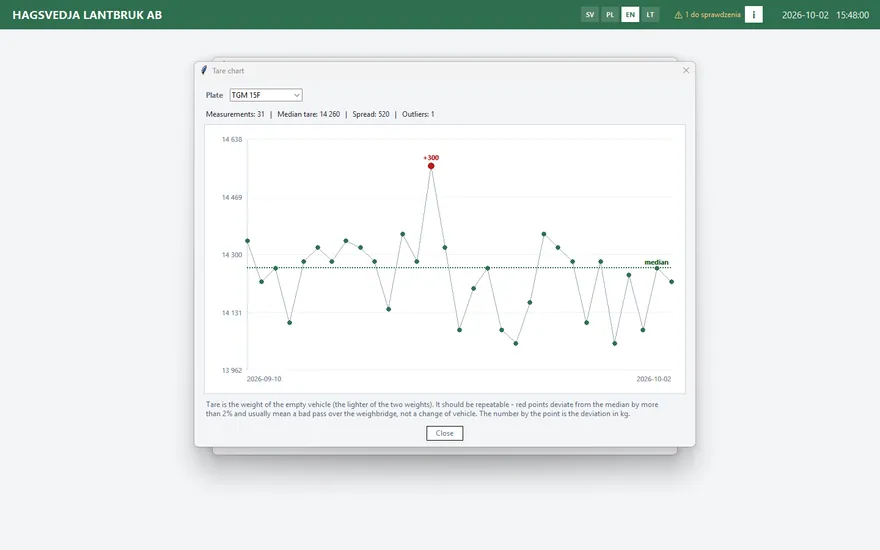
A self-service weighing system: drivers handle it on their own, and every result ends up where it’s needed — with the office, in Excel and in the app.
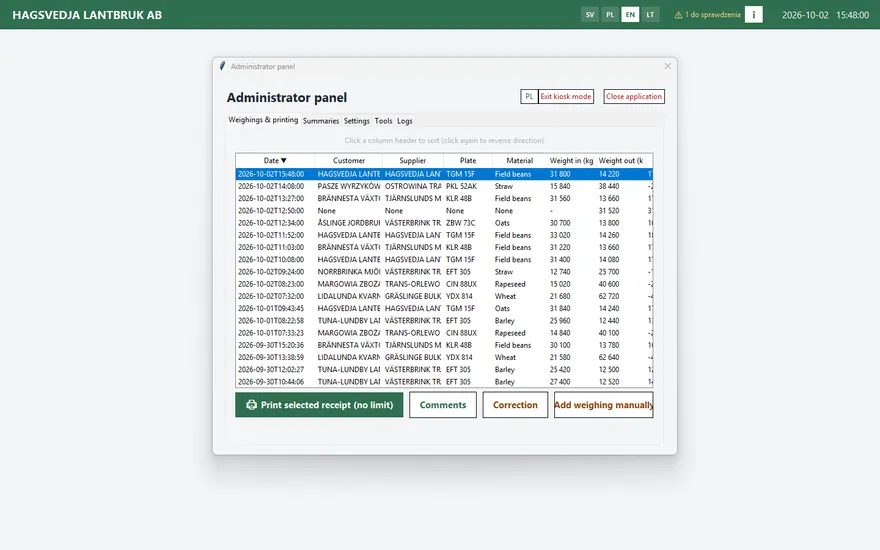
- The weighbridge is connected to a dedicated app. The weighings show up there on the phone and in the browser, with clear summaries: how much of what came from whom, per day, month or season. I set up the statistics around what you need.
- The driver types in the registration, drives slowly across the weighbridge and takes a ticket from the printer. From the registration the program knows whether the lorry is arriving or leaving, and works out how much it delivered or collected.
- It works offline. Every weighing is saved on site and backed up straight away, then sent to the cloud once the connection is back.
- The office gets a statement for each customer and up-to-date Excel files. A correction never overwrites a measurement; it’s added next to it with a reason and a date.
- Nothing gets lost and nothing can be changed without a trace. A weighing with no customer or goods entered waits for the office to decide, and every record is chained to the previous one with a checksum.
Where the data goes. Each weighing is saved on site, on the PC at the weighbridge. The Excel files are rebuilt straight away (Purchases, Sales, Abandoned, All, plus a sheet for each customer/goods/direction combination) and the database and files are copied, e.g. to Google Drive or a USB stick. That is what whoever does the accounts works from. When there’s internet, the weighing also goes to the cloud; without it, it waits and goes later. The app shows the weighings from the cloud when you open the Weighings screen or refresh the list.
I wrote it for a farm, but it works just as well for a scrapyard, quarry, sawmill, or waste collection point — anywhere vehicles are weighed. I can adapt it to different scales, printers, or goods, remove what isn’t needed, or add new modules.
The demo runs on made-up data. You can weigh, print tickets and correct weighings, but nothing is saved: refresh the page and everything goes back to the start. The admin panel password is in the demo bar at the top.
Farm
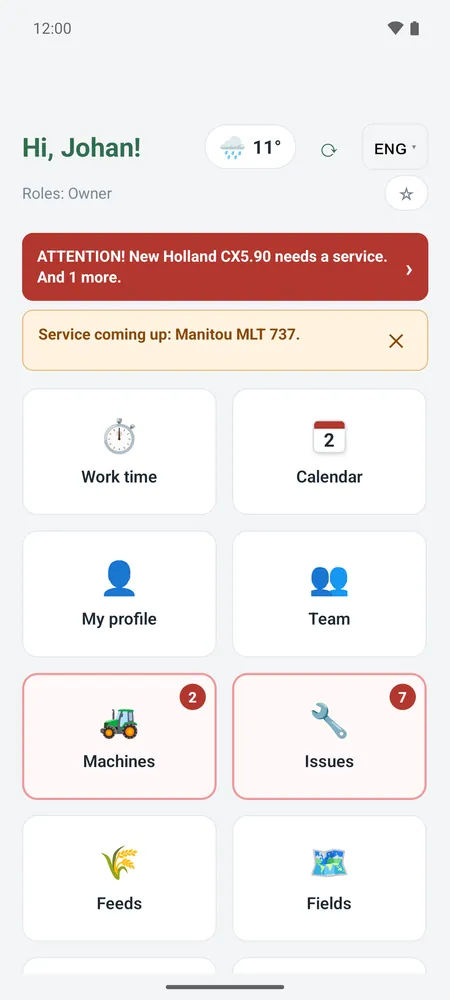
Demo with made-up dataThe daily work of a dairy farm: timesheets, barn plan, machine faults and a field map. In four languages.
Screenshots
Screenshots
An app for the everyday work of a dairy farm: cows, fields, machines and a crew from several countries. It runs on Android phones and in the browser, in four languages.
- Workers log their hours on their phones, even where there’s no signal. At the end of the month they send a ready-made timesheet as a PDF.
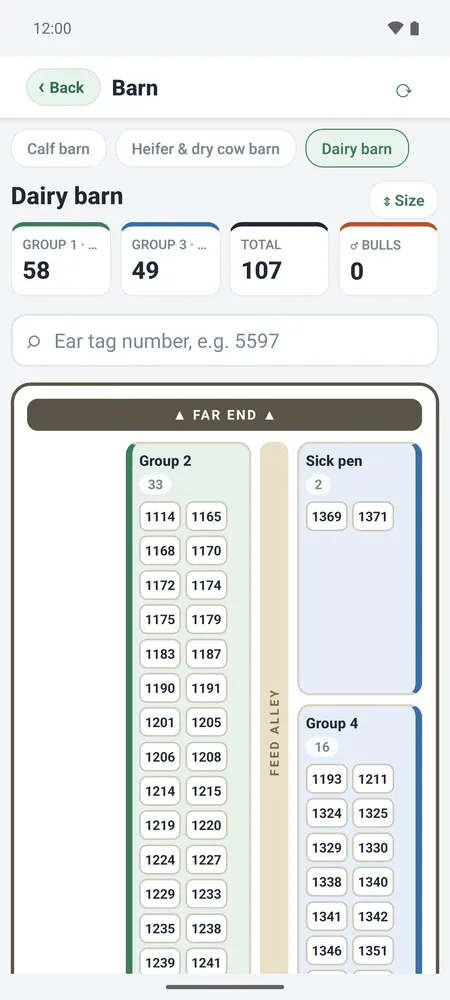
- The barn plan shows which cow is in which pen. You can look up an ear tag straight away and resize a pen right on the plan.
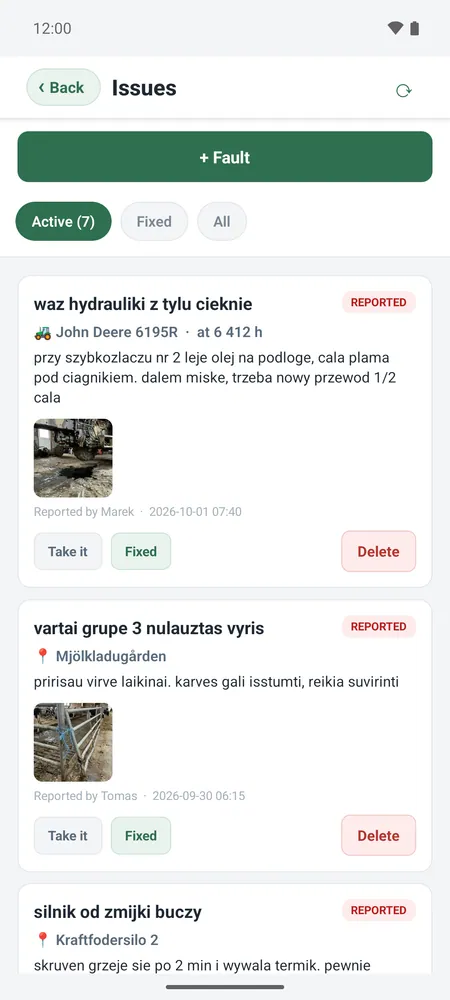
- A fault is reported with a photo from the phone, and the mechanic gets an instant notification. The app also keeps track of machine servicing by engine hours.
- Fields are on a map. You can drive around the boundary with GPS or load it from a file, and the app works out the area itself.
I built it for one farm, but I can adapt it to yours: take out what you don’t need or add completely new modules. It doesn’t even have to be farming. Timesheets, faults with photos, equipment service logs and user roles work just as well in a workshop, on a building site or in a warehouse.
The demo runs on made-up data from a farm called Hagsvedja gård. The bar at the top lets you switch between the worker, mechanic and owner view, including the admin panel. Click around and save things, but nothing stays: refresh the page and everything goes back to the start.
Get in touch
A question about a project, an idea for an app or a bug in a demo. I usually reply within a few days.
kontakt@wuja.cz